Risk Profiling Prioritization
Introduction
In the lab ‘Attack Detection and Prevention’, you detected the vulnerability in your environment and then observed that the policy blocked the Attack that leverages a particular vulnerability. You made sure the policy worked as expected. You have done this step well and bought your DevOps and SecOps teams valuable time to plan and implement a permanent remediation method.
Learning Objectives
In this lab you will:
- Understand how to prioritize security issues based on the Business Risk
- Learn how to navigate the CSA dashboards to quickly understand where the key issues are and how to fix them permanently
AppDynamics Application Dashboard
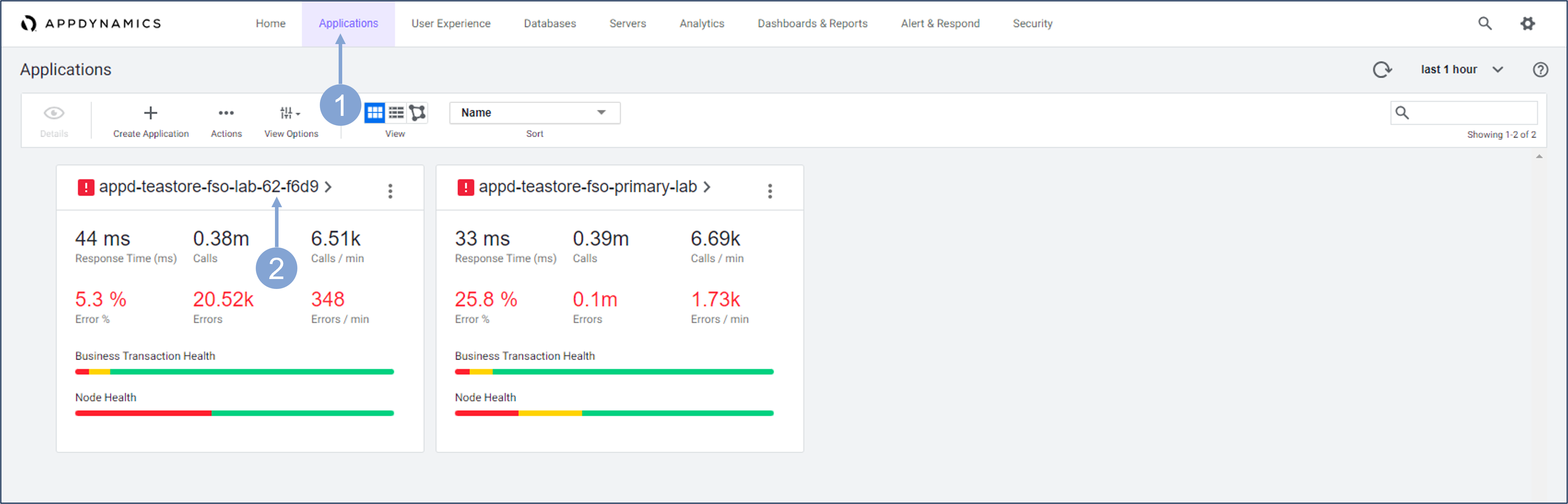
Use the steps below to navigate to your TeaStore application.
- Click on the Applications tab on the top menu
- Find your TeaStore application with your lab number in the name and click on its name to open it
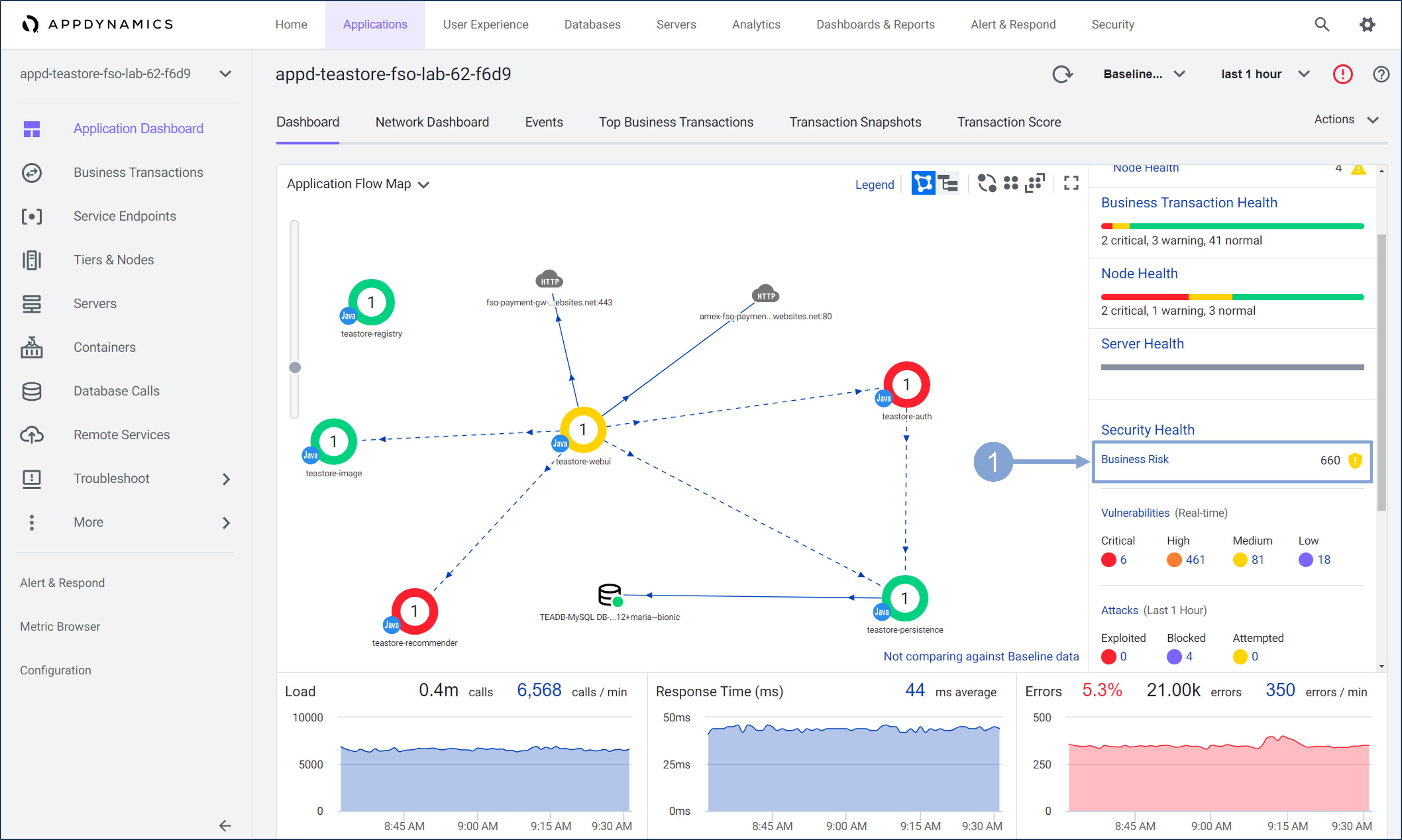
Check the current Business Risk Score for your application, and navigate to Cisco Secure Application to check the risk for specific Business Transactions.
- Click the Business Risk button in the Security Health tab on the right side of the page.
This will take you to the Business Transactions dashboard in the CSA.
- You can, of course, navigate to this dashboard without going through the Application Dashboard, but the latter will give you a full view of your application’s health, including current business risk.
Business Transactions Dashboard
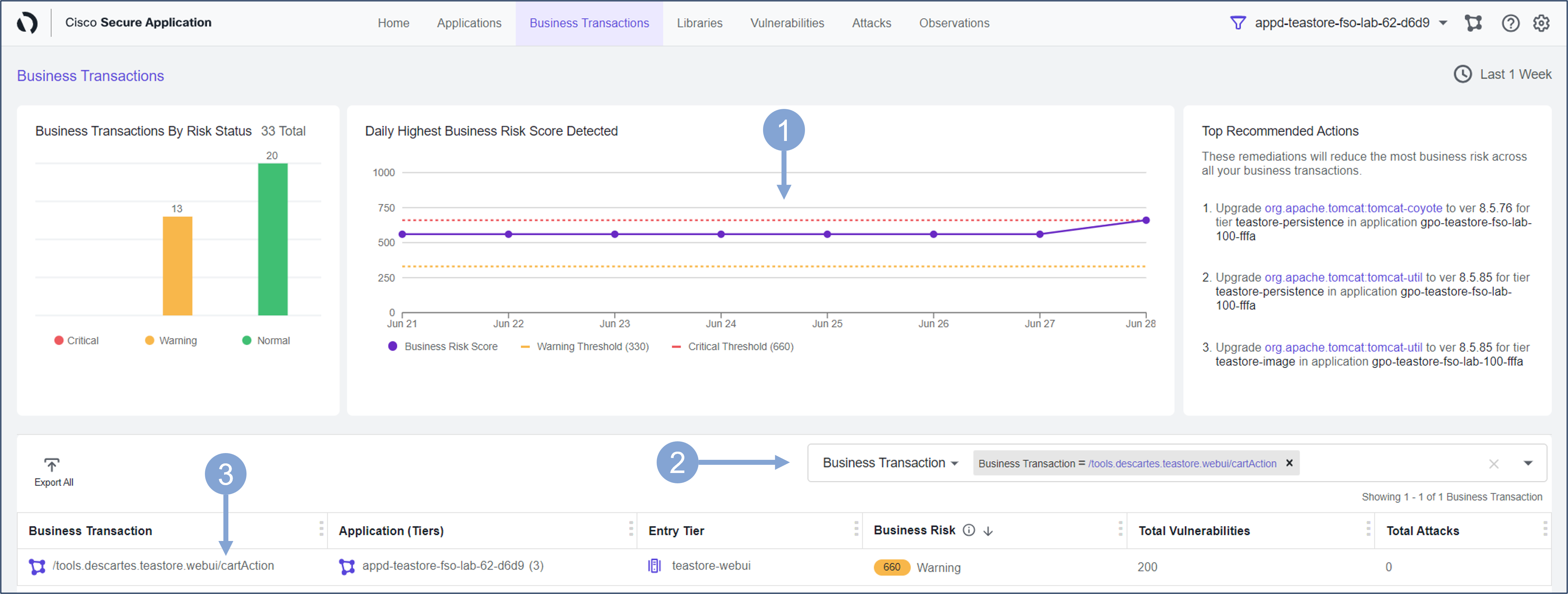
Use the Business Transactions security dashboard to identify the transactions that are associated with the highest business risk.
The Daily Highest Business Risk Score Detected shows the Business Risk Score together with the thresholds.
- The Business Risk score is a dynamically calculated value based on a combination of factors, such as the likelihood of exploitation, the impact of the vulnerability on key business transactions, third-party API vulnerabilities, etc.
- The Business Risk is in Normal state if the score is between 0-330, in a Warning state if between 340-660, and in a Critical state if the score is above 660
Use the search bar and start typing in cartAction. Select the available cartAction business transaction.
- The list of business transactions should now show a single transaction with associated Business Risk Score, number of vulnerabilities, and attacks.
Click the name of the business transaction.
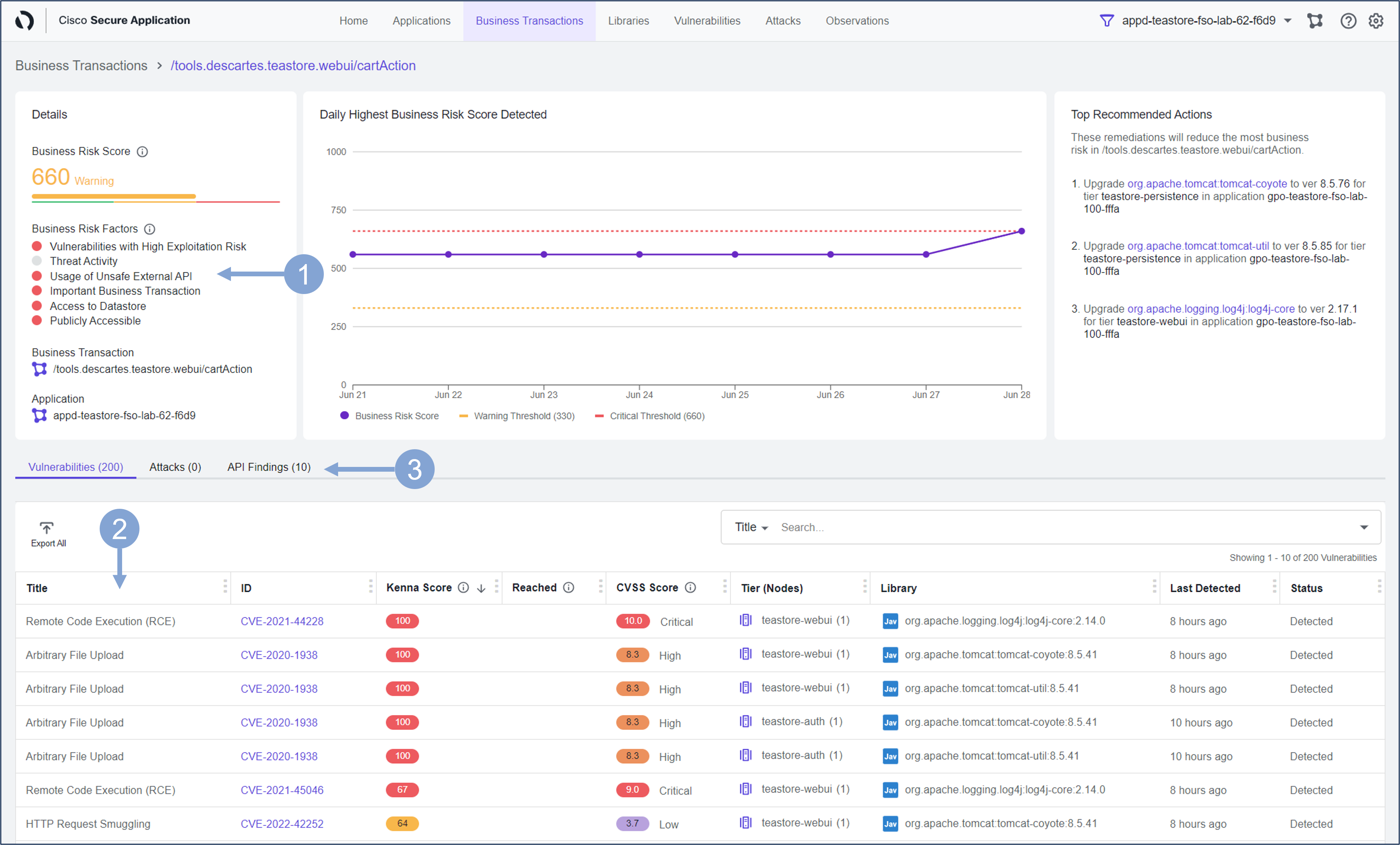
Examine the security state of the selected business transaction.
The Details section on the left displays the Business Risk Factors that make up the Risk Score. The Business Risk Score is composed of several factors related to the business transaction:
- These factors are drawn from integrations to Kenna, Panoptica, and Cisco Talos, taking into account the status and importance of business transactions as configured in AppDynamics:
- Vulnerabilities with High Exploitation Risk: vulnerabilities with Kenna score higher than 66
- Threat Activity: security events that match known attack types
- Usage of Unsafe External API: uses external APIs that are unsafe.
- Important Business Transaction: has a custom name so it might be important to you.
- Access to Datastore: has access to a data store.
- Publicly Accessible: is accessible from the Internet.
- These factors are drawn from integrations to Kenna, Panoptica, and Cisco Talos, taking into account the status and importance of business transactions as configured in AppDynamics:
In the list below the details you will find all the vulnerabilities that are currently present in the business transaction
- Optional You can click on any of these vulnerabilities to explore the vulnerability further, as you did in one of the previous exercises
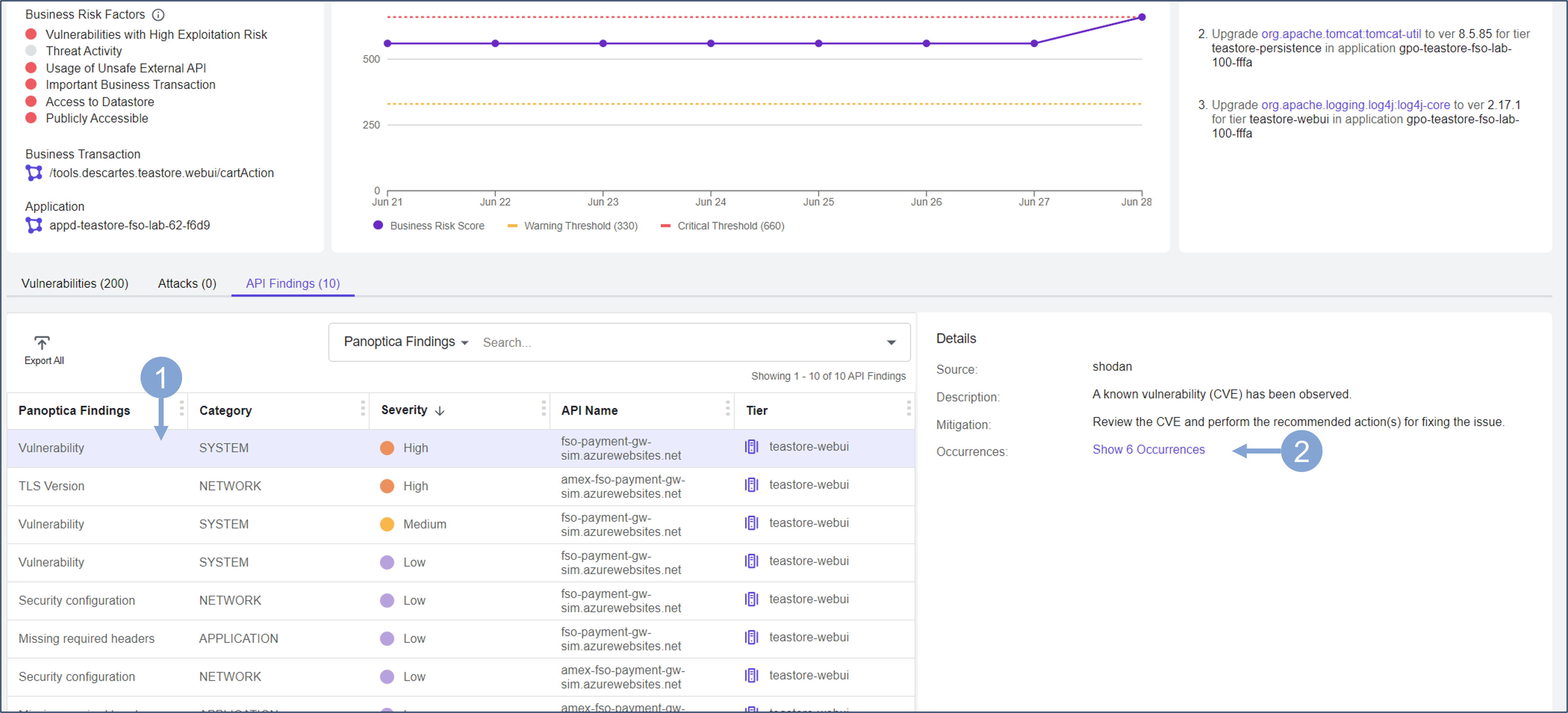
Select the API Findings tab
Investigate which potentially vulnerable third-party API integrations the business transaction uses.
- Select one of the third-party API Findings provided by Panoptica
- Identify the problem (TLS version, vulnerability, …), severity, API endpoint, and from which application tier the API was called.
- On the right side you will learn how to mitigate this problem.
- Click the Show Occurences link.
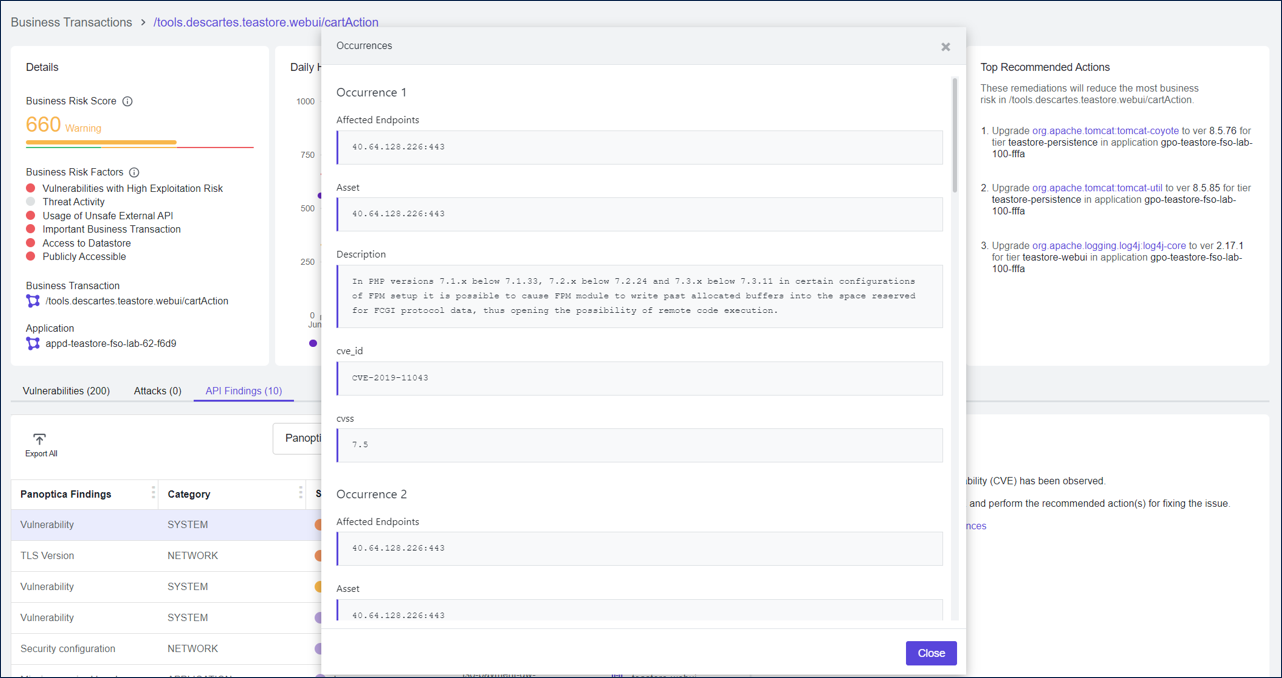
See all occurrences of the API vulnerability, the endpoints affected, and the description of each issue.
With Business Risk Observability (BRO) features, you have learned to focus on the security issues that have the greatest impact on your business.
Summary
In this exercise, you learned how to examine a business transaction for security issues and how to focus on the issues that pose the greatest Business Risk to your organization. You also learned how to examine the security details of business transactions and the associated vulnerabilities that may stem from the libraries used or the third-party APIs called by the application. The features you learned in this lab can help your DevOps and AppSec team immensely in deciding where to start and how to prioritize remediation efforts based on the associated business risk.
Well done again! It was a quick lab but you now have the information for your teams so they can prioritize their remediation efforts.
Next
You will take a look at how you can use Cisco Secure Application for Vulnerability Assessment & Remediation.