Vulnerability Assess Remediate
Introduction
Benefitting from the last lab ‘Business Risk Profiling and Prioritization’, you are now aware of the vulnerability that poses the highest risk to your business. This would allow you to suggest the library that should be replaced first.
Learning Objectives
You now pass the information gathered during the last lab on to your DevOps Team. This will immensely help them in deciding where to start from.
Continuing on in this lab you will:
- Further assess the vulnerabilities that a particular Library carries
- Suggest ways to permanently remediate this vulnerability
- Make sure the DevOps Team has the information that helps them in determining how much effort it will take to permanently remediate a vulnerability
Libraries Dashboard
Use the steps you used previously to navigate to the Secure Application Dashboard if you’ve been logged out.
Next, you will re-examine the Libraries dashboard so that you can communicate to the DevOps team your recommendation and the scope of efforts to remediate these vulnerabilities.
- Click on the Libraries tab on the top menu
- Select Library from the filter box drop-down
- Type in the string log4j-core
- Select org.apache.logging.log4j:log4j-core:2.14.0 from the drop-down
- The teastore-webui service is the front end UI where your customers order your products and your business can’t afford any downtime with this
- It carries a Risk score of 100 and 10 which is the highest score for both the Kenna and CVSS ranking. See Vulnerability Scoring in Kenna for more details about the scoring mechanism.
- It also has a total of four vulnerabilities
- Click on this Library (shown below) to explore it further
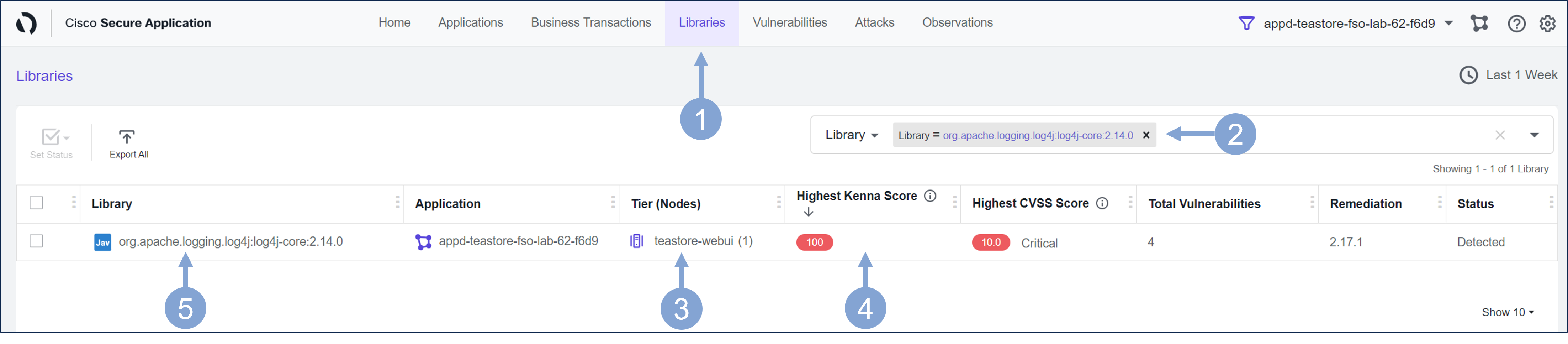
On the following page you can see the security details for the selected library.
- It shows all the known vulnerabilities that are present in the application
- Each of the vulnerabilities is shown with it’s Kenna Score and CVSS Score
- The Remediation Candidate column shows the lowest version needed to fix a particular vulnerability
- This helps prevent the rest of the application code from breaking when the library is upgraded to a newer major version that might introduce code issues.
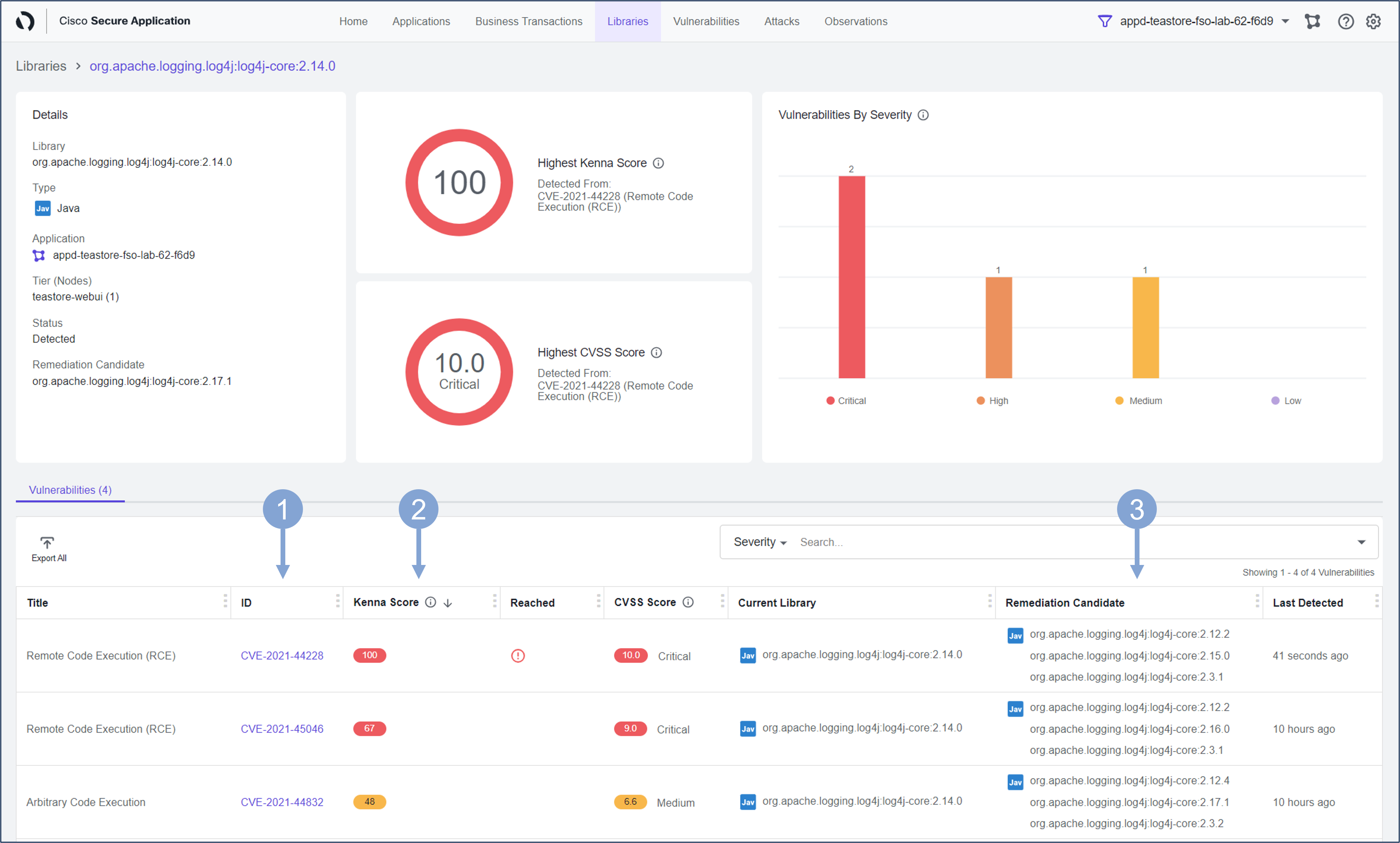
With this information in hand, the DevOps team now knows exactly where to start from, which vulnerability to fix first and what is the lowest version of remediation candidate for each of those vulnerabilities. This helps them vastly in planning their remediation efforts and offering a permanent fix without breaking rest of the application.
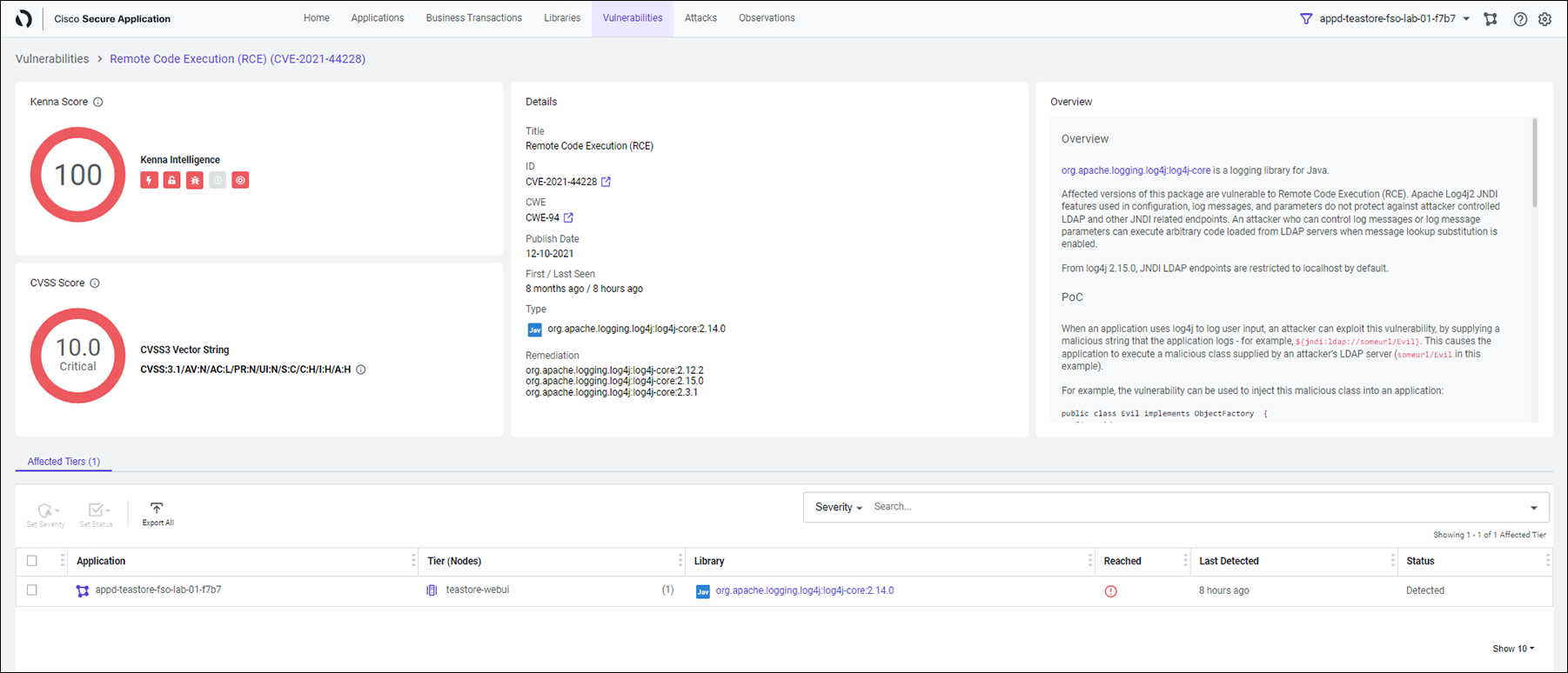
Optional Clicking on any of those vulnerabilities will display you a similar screen as shown below.
You will see the details of this vulnerability with its Kenna Score and CVSS Score. You will also learn when the vulnerability was first discovered and its current status. You have already done something similar in the ‘Attack Detection and Prevention’ exercise.
Summary
Knowledge gained during this lab could be of great help to your DevOps Team when they plan to permanently remediate the vulnerabilities present in the applications. This will ensure they put in minimum efforts and don’t take unnecessary risks with the rest of the application code.
Next
Let’s find out what’s next!